

Know the month instantly
A color-coded P&L calendar keeps account scope, goals and risk cues in one view.
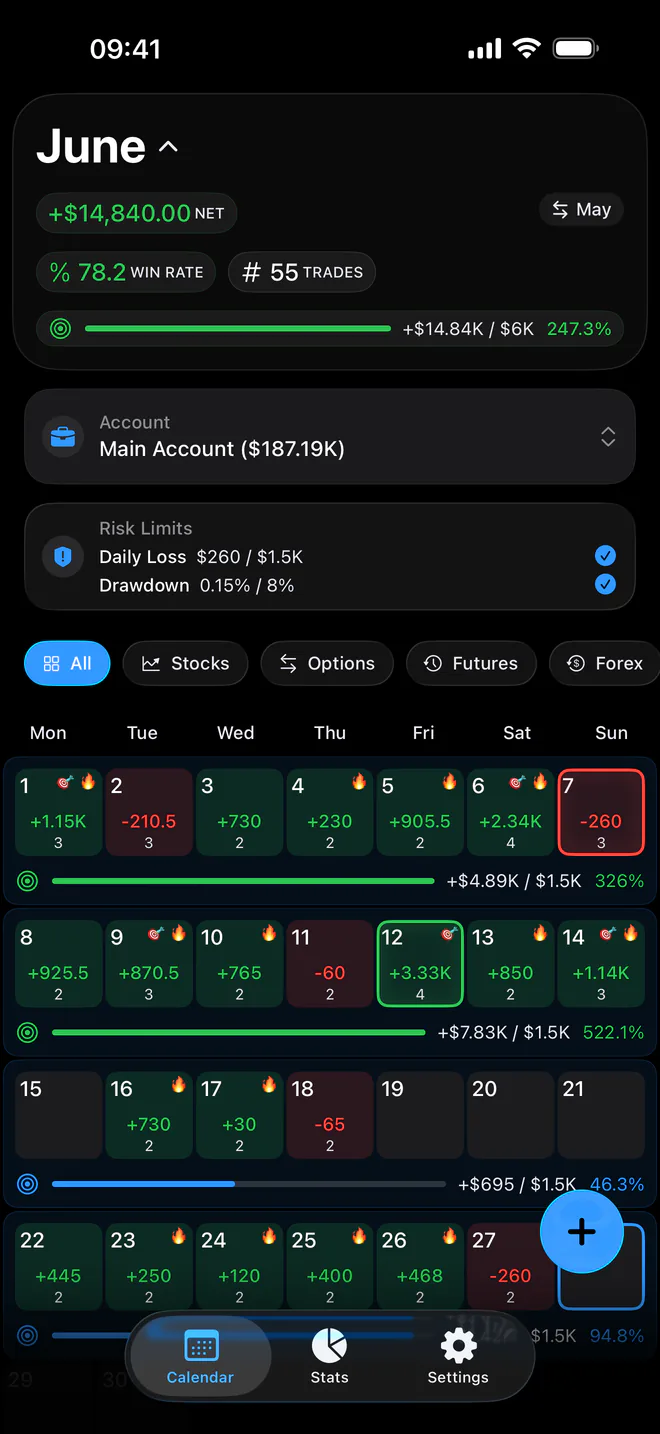
Proloca turns recorded trades into a visual, risk-aware review system. Every feature supports one job: helping you see what to repeat, what to stop and what is putting capital at risk.
A color-coded P&L calendar keeps account scope, goals and risk cues in one view.
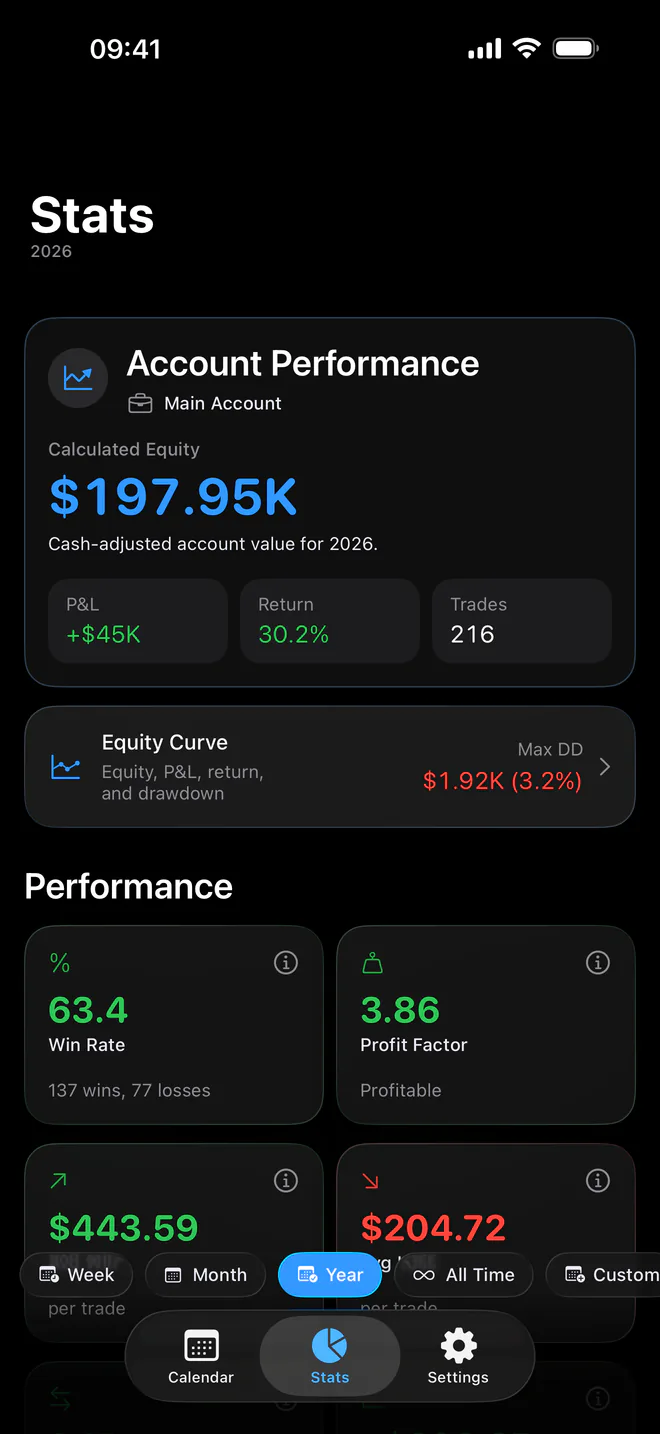
Compare market, symbol, session, direction, psychology, fees and size across any period.
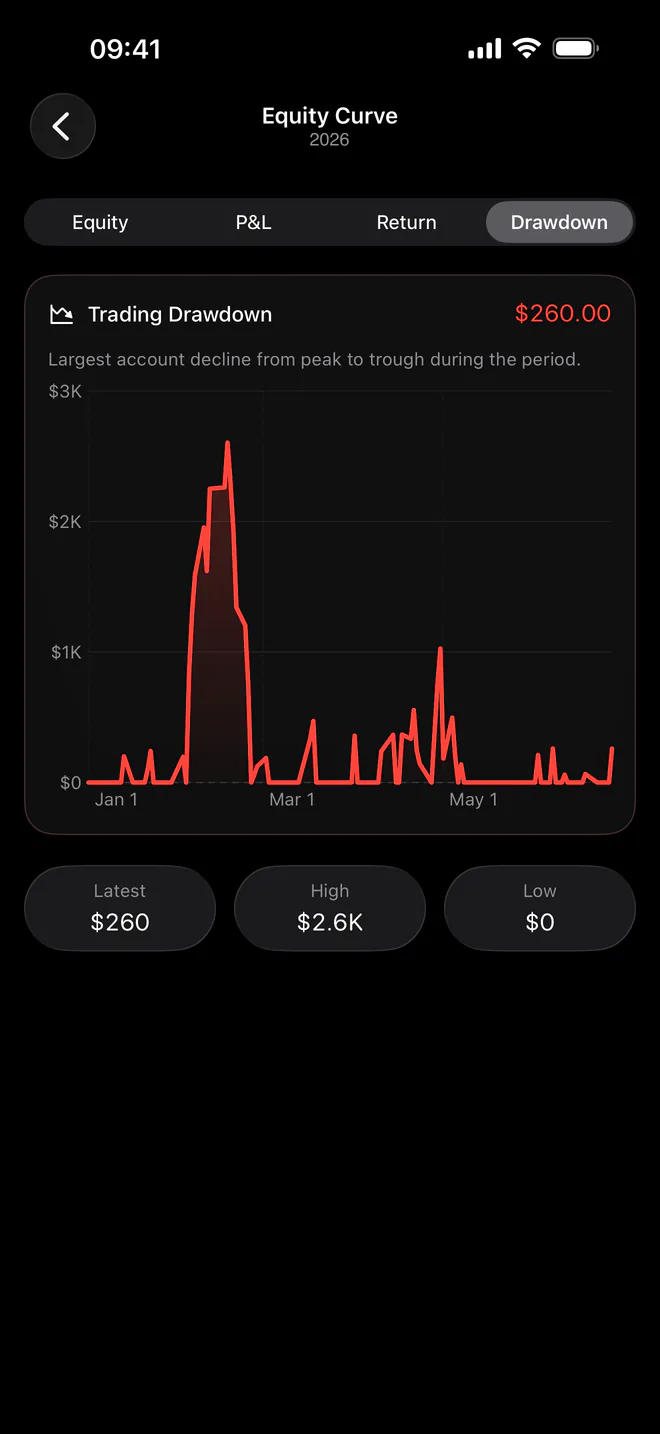
Separate accounts, cash movement, equity, return, drawdown, profit goals and risk limits.
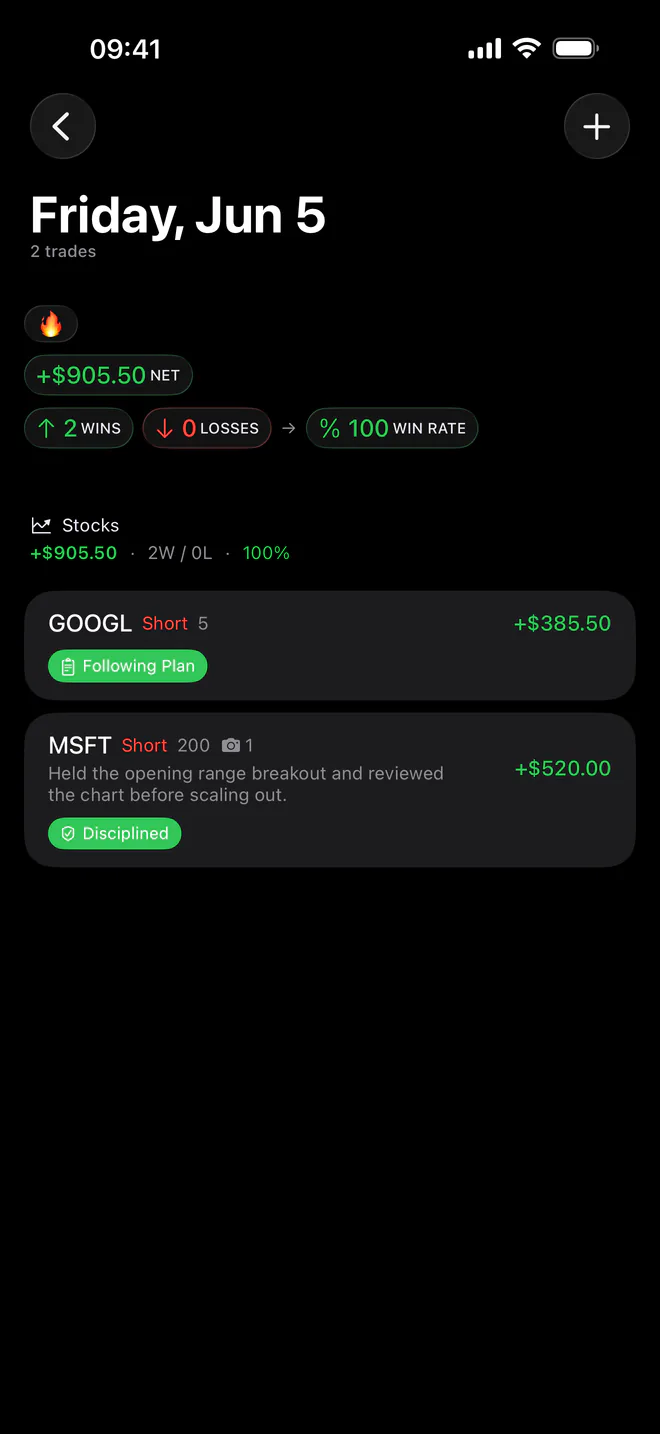
Store notes and screenshots, then open the exact trades contributing to a statistic.
Stocks, Options, Futures, Forex, Crypto, Other.
Import a Proloca export or map date, symbol and P&L columns from a generic CSV. Assign imported trades to a market, broker and Trading Account.
Brokers are labels you create for review and commission rules. Proloca has no live broker connection, automatic trade sync or trade execution.
Journal records use on-device storage and private iCloud/CloudKit sync when available. Optional Face ID or Touch ID protects app access. Product analytics and subscription services are described in the Privacy Policy.
Clear answers about pricing, privacy, broker connections and what Proloca actually does.
No. Proloca is a trading journal and review app. It does not place trades, provide market access, connect to a brokerage account or offer trade signals.
No live broker sync is available. You can log trades manually, import a Proloca CSV, or map the date, symbol and P&L columns from a generic CSV.
Proloca supports stocks, options, futures, forex, crypto and an Other category. You can filter calendar and statistics views by market.
Proloca is free to download and includes core trade journaling. Journal completes your manual trading record. Pro adds analysis, capital, goals, risk, and automation.
Journal completes your manual trading record. Pro adds analysis, capital, goals, risk, and automation. Apple shows the current local price and any eligible introductory offer before you subscribe.
No. Proloca is a review tool, not financial advice or a prediction service. It helps you examine recorded trades, risk and behavior so you can make more informed process decisions.
Journal records are stored on your device and sync through private iCloud/CloudKit when available. If iCloud is unavailable, the app continues to store data on your device.
Yes. Proloca supports optional Face ID or Touch ID access protection, CSV export and granular deletion controls. Synced deletion affects connected devices when iCloud sync is active.