01
Know where you stand.
See the month, account, profit goals and risk limits together, so you stop guessing whether you are on track.
Visual P&L calendarLog your trades, spot the patterns behind your P&L, and take one clear lesson into your next session. Proloca works alongside your broker; it never places a trade.
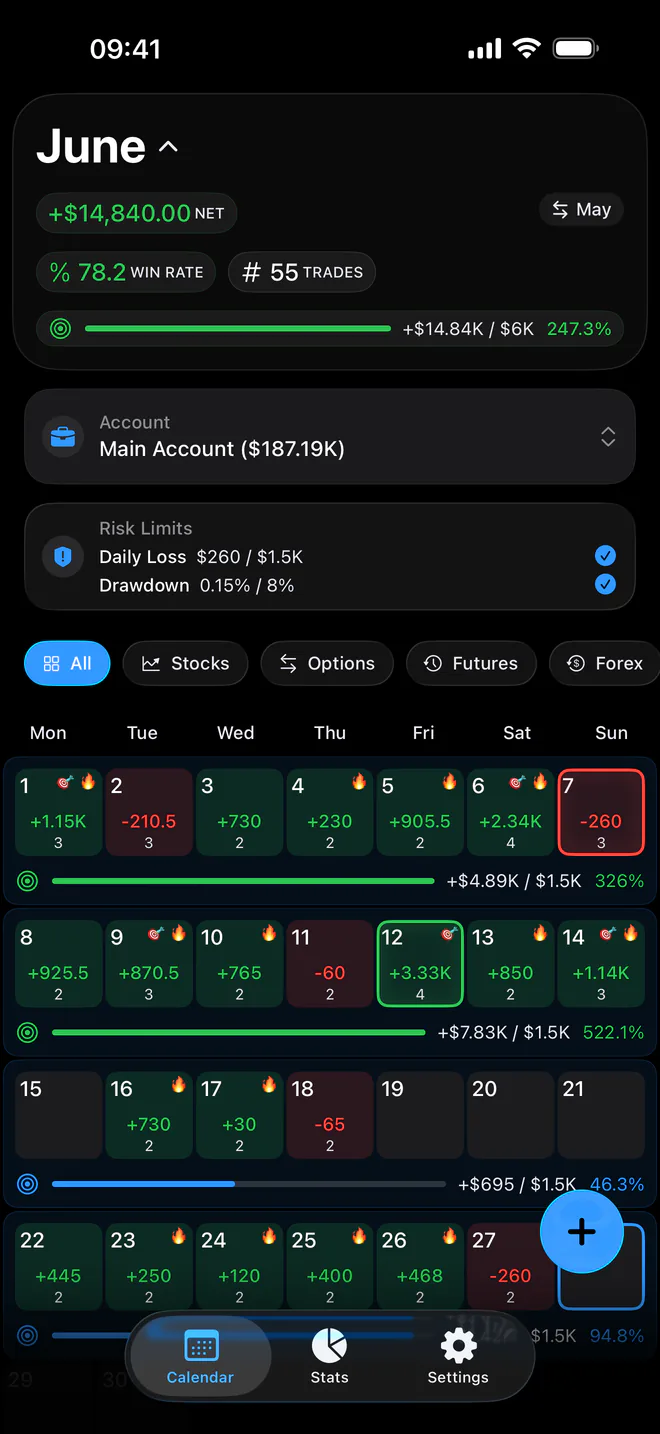
See the month, account, profit goals and risk limits together, so you stop guessing whether you are on track.
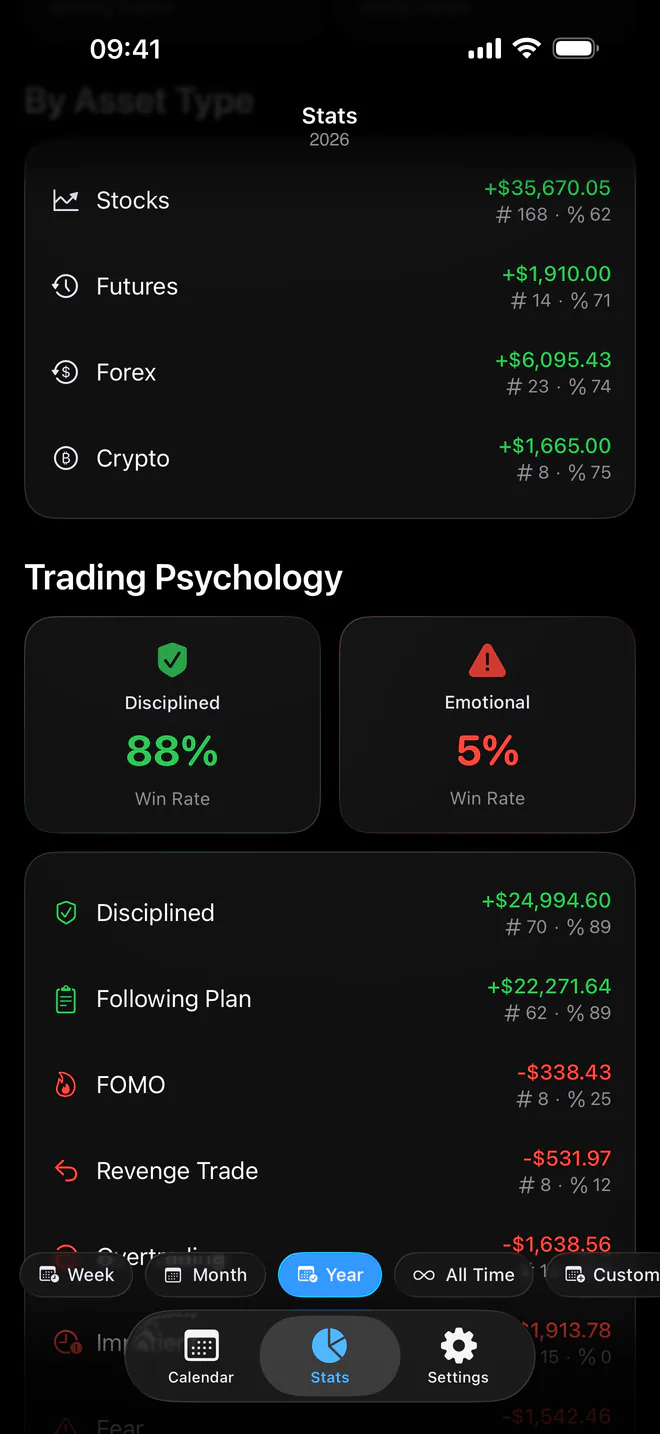
Visual P&L calendarCompare markets, sessions, direction, fees and psychology to see which patterns deserve attention.
Trade-level analyticsKeep daily loss and drawdown limits visible, then review the exact trades behind every result.
Risk-aware reviewCompare psychology, market, session, direction, size and fees, then inspect the trades behind each metric. Proloca shows patterns based only on trades you have logged. It does not predict the market or send signals.
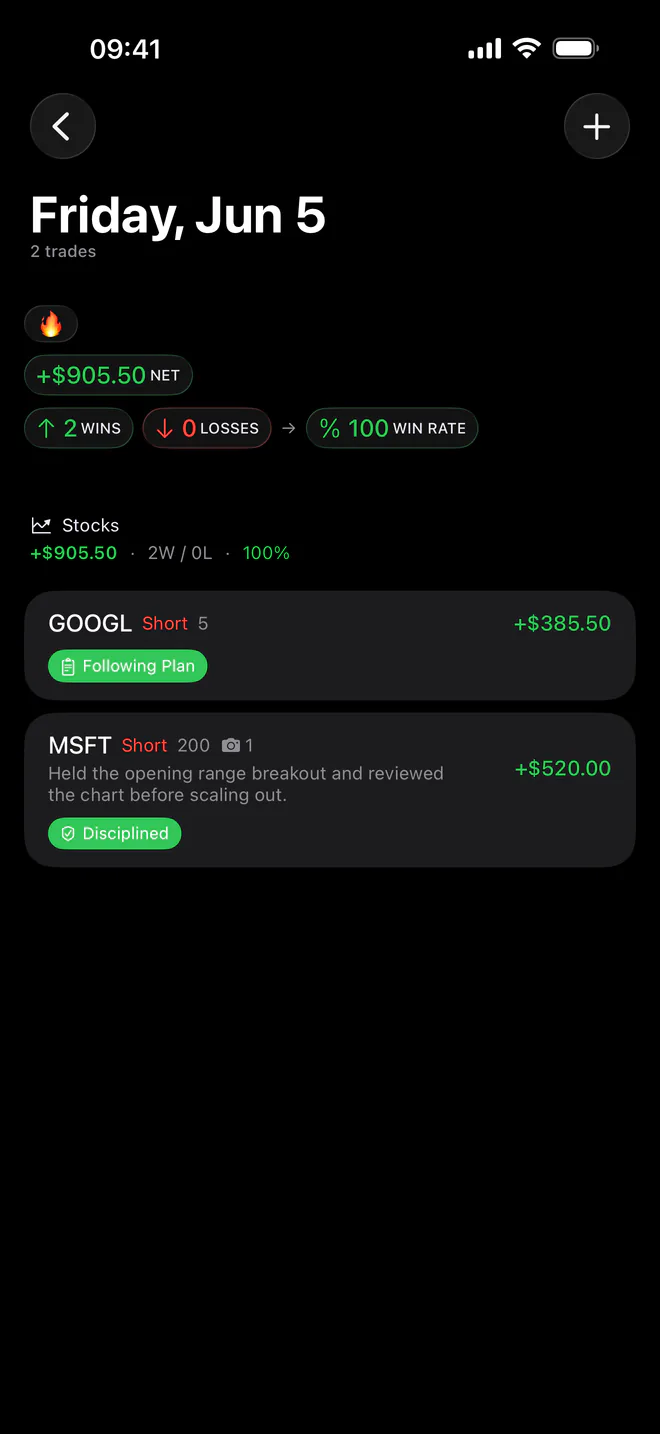
Log a trade in seconds or import a CSV. Add the account, market, direction, session, fees, notes, screenshots and how you traded.
Use the calendar and statistics to separate a lucky result from a repeatable process across the periods that matter to you.
Review the pattern, check the trades behind it, and decide what to repeat or change in your next session.
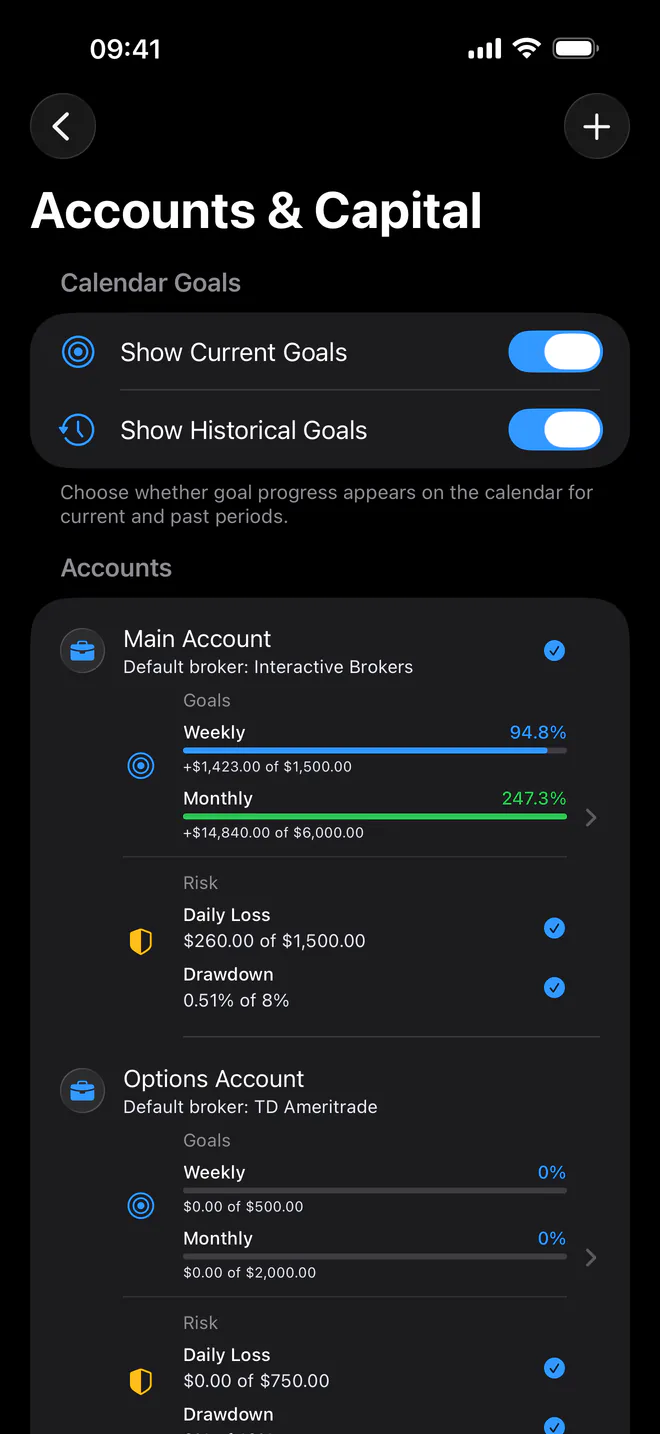
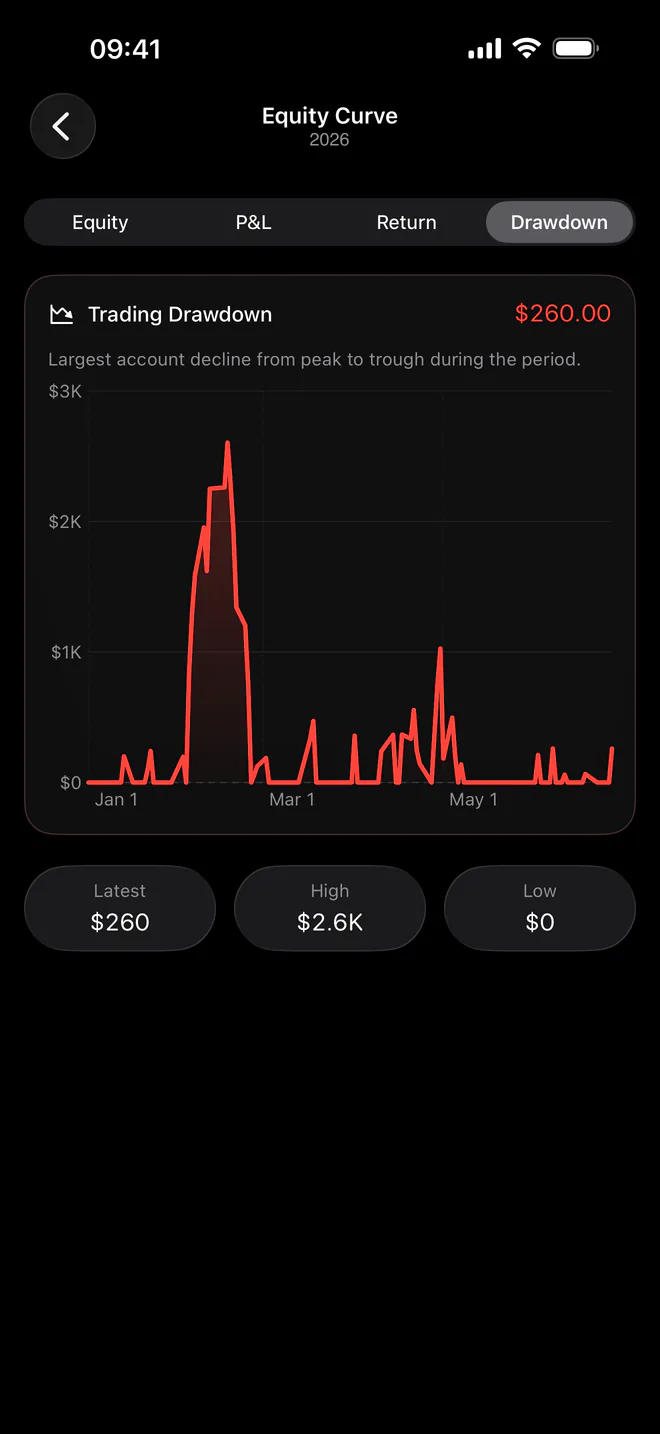
Separate personal capital, funded challenges and archived history. Record deposits, withdrawals, payouts and resets without pretending they are trading performance.
Broker history, spreadsheets and Proloca solve different jobs. Use the comparison to decide what belongs in your review workflow.
Core trade journaling is free to start. Pro is optional and adds deeper analytics, multiple Trading Accounts, capital and equity review, goals, risk limits, CSV import, widgets and more.
Weekly, monthly and yearly plans are offered in the app. Local prices, eligibility and any introductory offers are shown by Apple before you subscribe.
Clear answers about pricing, privacy, broker connections and what Proloca actually does.
No. Proloca is a trading journal and review app. It does not place trades, provide market access, connect to a brokerage account or offer trade signals.
No live broker sync is available. You can log trades manually, import a Proloca CSV, or map the date, symbol and P&L columns from a generic CSV.
Proloca supports stocks, options, futures, forex, crypto and an Other category. You can filter calendar and statistics views by market.
Proloca is free to download and includes core trade journaling. The live free-use limits are configured in the app, while optional Pro plans unlock deeper analytics and workflow tools.
Weekly, monthly and yearly subscriptions are available. Apple shows the current local price, renewal period and any eligible introductory offer before you subscribe.
No. Proloca is a review tool, not financial advice or a prediction service. It helps you examine recorded trades, risk and behavior so you can make more informed process decisions.
Journal records are stored on your device and sync through private iCloud/CloudKit when available. If iCloud is unavailable, the app continues to store data on your device.
Yes. Proloca supports optional Face ID or Touch ID access protection, CSV export and granular deletion controls. Synced deletion affects connected devices when iCloud sync is active.
The functional app is currently designed for iPhone. The website explains the product and provides support; it is not a web trading journal.
Start with the free journal. Upgrade only when deeper analysis earns a place in your process.
Start free on the App Store